
A weekly SEO digest is a Monday email that summarizes how many of your articles Google has indexed, how many impressions and clicks those articles earned, which queries reached the top 10, and how often AI engines cited your site. Reading the digest well means knowing which numbers should move in months 1–3 and which should move in months 4–6.
It's Monday at 7:40 a.m. The weekly digest sits in your inbox between a Shopify payout notice and a supplier invoice. The digest reports 31 articles indexed, 1,800 impressions, and 30 clicks.
Those three numbers don't look like much, and Ahrefs data showing that only 5.7% of pages reach Google's top 10 within a year explains why a slow start is normal. But if you're working out how to scale organic traffic on autopilot, that Monday email is the whole job. You read the digest, spot what moved, and get back to running your business.
By the End
You'll have a weekly digest connected to Search Console and AI citation tracking. You'll also have a baseline snapshot and a month-by-month benchmark table. You'll know which numbers should move in months 1–3, which should move in months 4–6, and when to step in.
Before You Start
- A verified Google Search Console property. A Domain property is best, verified with a DNS TXT record.
- Admin access to your CMS. WordPress 6.x, Shopify, or Ghost all work.
- A publishing plan. Aim for 2–3 articles per week. Fewer than 8 a month makes trends hard to read.
- A CocoSEO account or a spreadsheet. CocoSEO builds the digest for you. A Google Sheet works if you'd rather track it by hand.
- Time. About 30 minutes to set up, then about 5 minutes a week.
- Knowledge level. You know what a URL and a sitemap are. You don't need any technical SEO.
Step 1: Your Digest Starts With Search Console Data
Every number in a weekly digest traces back to Google Search Console. Without it, you're guessing. This step connects your site, submits your sitemap, and gives the digest a real data source. It takes about 15 minutes, plus DNS wait time.
- Open Google Search Console and click Add property.
- Choose Domain and enter
yourdomain.comwithouthttps://. - Copy the TXT record. Paste it into your DNS provider, such as Cloudflare, GoDaddy, or Shopify's domain settings.
- Click Verify. DNS changes can take a few minutes or up to a day.
- Go to Sitemaps and submit your sitemap. Shopify uses
/sitemap.xml. WordPress with Yoast uses/sitemap_index.xml. - Connect Search Console in your CocoSEO settings so the digest can pull clicks, impressions, and rankings.
Search Console data lags about two days. Don't panic if yesterday looks empty.

✅ Check: The Sitemaps report shows "Success," and the Performance report loads a date range without errors.
Step 2: A Baseline Snapshot Makes Every Later Number Meaningful
Growth means nothing without a starting point. Before your first new article goes live, record where you stand today. This takes five minutes. It also stops you from crediting (or blaming) the engine for traffic that was already there.
- In Search Console, open Pages and note the "Indexed" count.
- Open Performance, set the range to Last 28 days, and note total clicks and impressions.
- Click the Queries tab. Count the queries with an average position of 10 or better.
- Note your AI citations across ChatGPT, Perplexity, and Google AI Overviews. For most small sites, this is zero.
- Save all five numbers in one dated row.
✅ Check: You have one row with today's date and five numbers. That row becomes "Week 0" in your digest.
Step 3: Months 1–3 Measure Indexing, Not Clicks
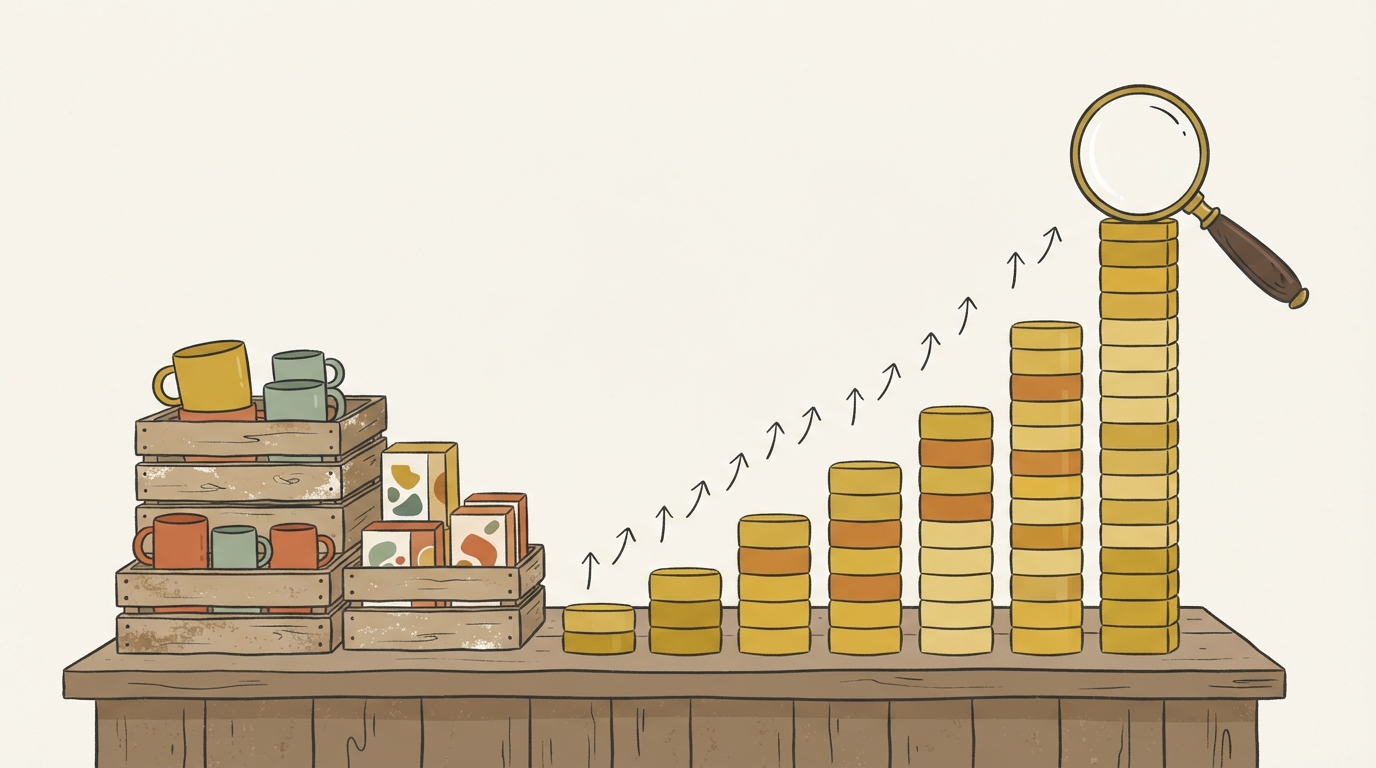
Early months feel flat because they are flat. Google needs time to crawl, index, and test new pages. Your job here is to confirm articles are getting indexed. Clicks come later, and expecting them now leads to bad decisions.
The data backs this up. Ahrefs found that only 5.7% of pages reached the top 10 for any keyword within a year. Most of those took about 61–182 days to get there. For high-volume keywords, only 0.3% did it in under a year.
Here's an illustrative digest for a site publishing about 12 articles a month. These figures are a sketch of a typical curve, not a client result.
| Month | Articles published (total) | Indexed | Impressions/week | Clicks/week | Queries in top 10 | AI citations | |---|---|---|---|---|---|---| | 1 | 12 | 7 | 150 | 3 | 0 | 0 | | 2 | 24 | 19 | 600 | 10 | 2 | 0 | | 3 | 36 | 31 | 1,800 | 30 | 6 | 1 |
- Each week, compare the indexed count to the published count in your digest.
- Flag any article not indexed after 14 days.
- Run URL Inspection on flagged URLs and click Request indexing.
- Ignore clicks for now. Watch impressions instead, because they show Google is testing your pages.
✅ Check: By week 12, at least 80% of published articles show "URL is on Google" in URL Inspection.
Step 4: Months 4–6 Show Impressions Climbing Before Clicks Follow
This is the stretch where compounding starts to show. Impressions rise first because your pages begin appearing on page two, then page one. Clicks trail behind. Reading this gap correctly is a big part of how to scale organic traffic on autopilot without second-guessing the process.
Here's the same illustrative site, continued:
| Month | Articles published (total) | Indexed | Impressions/week | Clicks/week | Queries in top 10 | AI citations | |---|---|---|---|---|---|---| | 4 | 48 | 43 | 4,200 | 70 | 14 | 3 | | 5 | 60 | 55 | 7,500 | 130 | 25 | 6 | | 6 | 72 | 66 | 11,000 | 210 | 38 | 9 |
Your click-through rate may look low. That's partly the market, not just you. Seer Interactive found organic CTR on informational queries with AI Overviews fell 61% between June 2024 and September 2025, from 1.76% to 0.61%. Ahrefs (Dec 2025) found the #1 result's CTR drops about 58% when an AI Overview appears.
- Open Performance > Queries and filter for an average position between 11 and 20.
- Note which of those queries move into the top 10 each week.
- Track impressions week over week rather than day to day.
- Treat a rising impression line as the leading signal.
✅ Check: Impressions rose week over week in at least 3 of the last 4 weeks.
Step 5: Per-Article Receipts Reveal Which Posts Compound
Totals hide the story. A per-article receipt shows clicks, impressions, and rankings for each post. It tells you which pieces keep growing and which have faded. That split decides where your 60 seconds of review time should go next.
HubSpot Research analyzed roughly 20,000 posts in an older study. It found compounding posts were about 1 in 10 posts but drove up to 38% of blog traffic. One compounding post earned as much as six "decaying" ones. The exact ratios may have shifted since, but the pattern still holds: a few posts carry most of the load.
- Open the per-article view in your digest, or Performance > Pages in Search Console.
- Sort by clicks over the last 28 days.
- Tag posts whose clicks grew after month 3 as "compounding."
- Tag posts that peaked and declined as "decaying."
- Add internal links from your compounding posts to newer articles on related topics.
- Rewrite titles on decaying posts that still earn impressions but few clicks.
This per-article view is how to scale organic traffic on autopilot without losing sight of what's working. The engine publishes. The receipts tell you where to point it.
✅ Check: You can name your top three compounding posts without opening a report.
Step 6: AI Citations Are a Second Scoreboard
Clicks from Google aren't the only signal anymore. ChatGPT, Perplexity, and Google AI Overviews now cite sources directly. Tracking those citations shows visibility that never appears in a click report. It also shows which articles AI engines trust.
The payoff is real. Seer Interactive (2025) found brands cited inside AI Overviews got 35% higher organic CTR and 91% higher paid CTR than uncited brands on the same queries. Digiday (2025) reported publishers shifting their main metric from traffic toward visibility and impressions after AI Mode rolled out.
Older traffic data may also undercount AI. AI Mode clicks showed up as "direct" traffic until Google fixed a referrer bug in May 2025, according to PPC Land (2026).
- Open the AI citations section of your weekly digest.
- Note which engine cited you: ChatGPT, Perplexity, or AI Overviews.
- Click through to the cited answer and see which article it pulled from.
- Look at the cited section. It's usually a short, factual answer under a clear heading.
- Add similar answer blocks to articles that rank but aren't cited. We cover the format in how to get cited in AI Overviews.
✅ Check: By month 6, at least one article shows a citation you can open and verify.
Step 7: A Five-Minute Weekly Review Is How to Scale Organic Traffic on Autopilot Safely
Autopilot doesn't mean unattended. The weekly review is where you catch problems before they compound in the wrong direction. Core updates and spam policies can wipe out months of growth. Five minutes a week keeps you informed.
The risk is documented. Lily Ray analyzed 220+ sites and subfolders that scaled content with AI. She found 54% lost 30% or more of peak organic traffic, 39% lost 50% or more, and 22% lost 75% or more. Several declined after the June 2025 core update. Ray notes this shows correlation, not proof that the tools caused the drops.
Compare that with the agency case studies. Omnius reported 1,000+ daily organic visits in 7 months from 15k+ programmatic pages. Xponent21 claimed 4,162% traffic growth in under a year. Both are self-reported. Both describe the climb, not what happened after.
Google has also issued more manual actions for "scaled content abuse" since mid-2025, per PPC Land (2026). The policy covers AI-written, human-written, and mixed content. Google publishes no page-count threshold.
- Compare this week's clicks to your 4-week average.
- Flag any drop larger than 20%.
- Check the Google Search Status Dashboard for an active core update. The November 2026 update started rolling out on Nov 10, the third of 2026 after March and May.
- If an update is running, wait until it finishes before changing anything.
- Check Security & Manual actions in Search Console once a month.
✅ Check: You've logged this week's numbers and either flagged nothing or written down one action.
Troubleshooting
Impressions are rising but clicks stay flat
This usually means AI Overviews or weak titles are absorbing clicks. Check whether your top queries trigger an AI Overview. Rewrite titles to state a specific outcome or number. Then track AI citations for those queries, since a citation can still send traffic.
Why do articles show "Crawled – currently not indexed"?
"Crawled – currently not indexed" is a Google Search Console status meaning Google fetched the page but chose not to add the page to its index. The status usually points to thin content or content that overlaps another article on the same site. The fix is to merge duplicates, add internal links, strengthen the page, and request indexing again.
To clear the "Crawled – currently not indexed" status, merge near-duplicate articles into one stronger page. Add internal links from pages Google has already indexed, and add one cited source or original example to the thin article. Then run URL Inspection and click Request indexing. Use the Step 3 benchmark as the target: by week 12, at least 80% of published articles should show "URL is on Google."
What should you do if traffic dropped 30% after a core update?
A 30% traffic drop after a Google core update is a signal to wait, not to rewrite. Core updates take time to finish rolling out, and rankings can shift during the rollout. The right response is to let the update complete, then compare per-article receipts from before and after the update across 4–6 weeks.
Don't rewrite every article during the week of the drop. Check the Google Search Status Dashboard and wait for the core update to finish rolling out. Then compare per-article receipts before and after the update. Graphite/Similarweb (2025) found the steepest losses hit sites ranked roughly 100–10,000, while the largest sites grew. Small sites can swing harder, so judge the traffic trend over 4–6 weeks rather than a single week.
Why are AI citations still zero after three months?
Zero AI citations after three months is a common result for new domains, not a sign of failure. In the illustrative benchmark table in Step 3, a site publishing 12 articles a month reached only 1 AI citation by month 3. ChatGPT, Perplexity, and Google AI Overviews tend to cite short factual answer blocks under clear headings.
To earn a first AI citation, add short factual answer blocks under clear H2s. Include named sources with years, such as Seer Interactive (2025), which found brands cited inside AI Overviews got 35% higher organic CTR than uncited brands. Make sure your most-cited competitors aren't simply covering the same topic in more depth than your articles do.
Why don't digest numbers match Google Analytics?
Digest numbers and Google Analytics numbers don't match because the two tools measure different things. Google Search Console, the digest's data source, counts clicks from Google search results. GA4 counts sessions on your site from every channel. A gap between the two reports is normal and does not mean either tool is broken.
Search Console clicks and GA4 sessions will never line up exactly. Some AI Mode referrals also landed in GA4 as "direct" traffic before Google's May 2025 referrer fix, according to PPC Land (2026). Trust Search Console for search trends and GA4 for on-site behavior.
What to Do Next
Run this setup for 12 weeks before judging the results. The first quarter tells you whether indexing works. The second quarter tells you whether rankings compound. After month 6, shift your focus to your compounding posts: refresh them twice a year and build internal links toward newer articles. If you run a Shopify store, connecting product and collection pages to your blog content is the natural next move. We walk through it in Search Console setup for Shopify stores.
Further reading
- Ahrefs, "How Long Does It Take to Rank in Google?": The source behind the 61–182 day ranking window, with the original methodology.
- Lily Ray's Substack analysis of AI-scaled sites (2026): The clearest look at what happens 6–12 months after the spike.
- Google Search Central, Spam Policies (scaled content abuse section): Google's own wording on what crosses the line.
- Seer Interactive's AI Overview CTR research (2025): The data on cited vs. uncited brands and how much clicks shift.
- Google Search Console Help, Performance report documentation: Explains exactly how clicks, impressions, and position are counted.
Sources
- Gradual Grower × Ahrefs: How long does it take to Rank on Google?: Vendry, 2025. Supports: Only 5.7% of pages reached the top 10 within a year, most of them took about 61–182 days, and only 0.3% did so for high-volume keywords. (Note: these are Ahrefs' 2017 figures. Ahrefs' updated study at ahrefs.com/blog/how-long-does-it-take-to-rank-in-google-and-how-old-are-top-ranking-pages/ now reports 1.74%.)
- AIO Impact on Google CTR: September 2025 Update: Seer Interactive, 2025. Supports: Organic CTR on queries with AI Overviews fell 61%, from 1.76% to 0.61%, by September 2025.
- AI Search Study from Seer Interactive Featured in Forbes: Seer Interactive, 2025. Supports: Brands cited inside AI Overviews got 35% higher organic CTR and 91% higher paid CTR.
- Free AI Overviews Tracker by Ahrefs: Ahrefs, 2025. Supports: Based on December 2025 data, AI Overviews cut clicks to the #1 result by about 58%.
- It Works Until It Doesn't: AI Content Strategies That Backfire: Lily Ray (Substack), 2026. Supports: Of 220+ AI-scaled sites and subfolders, 54% lost 30%+ of peak organic traffic, 39% lost 50%+, and 22% lost 75%+.
- Debunking The Myth That Search Is Dying: Graphite/Similarweb, 2025. Supports: The largest sites gained traffic, and the steepest losses hit sites ranked roughly 100–10,000.
- Google to fix AI Mode tracking bug affecting referrer data: PPC Land, 2025. Supports: AI Mode clicks showed up as "direct" traffic because of a referrer bug that Google fixed in May 2025.
- The winners and losers of Google's AI Mode: Digiday, 2025. Supports: After AI Mode launched, publishers began shifting their main metric from traffic to visibility and impressions.
- Google November 2026 core update: What marketers should know: Semrush, 2026. Supports: Google started rolling out the November 2026 core update on November 10, according to the Search Status Dashboard.